Our services
Server, network, and web solutions tailored to your business.
MIGRATION WINDOWS SERVER 2003 TO WINDOWS SERVER 2012 R2
Prerequisites:
- Extend ADS schema to 2008
- Support\adprep\adprep32.exe
- adprep32.exe /forestprep
- adprep32.exe /domainprep
- adprep32.exe /rodcprep
- Install Windows Server 2008 including DC configuration
- Set forest functional level to 2003
Note: All servers must be time-synchronised!
Note: Check the event logs on the old server for replication errors!
If errors are present, the SYSVOL folder may not be created on the new DC!
Install Windows Server 2012 Standard / Essentials
Note: The server setup wizard can be disabled in the registry under:
- HKLM\Software\Microsoft\Windows\Current Version\Run
Time Synchronisation Setup
- net stop w32time
- w32tm /config /syncfromflags:manual /manualpeerlist:0.de.pool.ntp.org
- w32tm /config /reliable:yes
- net start w32time
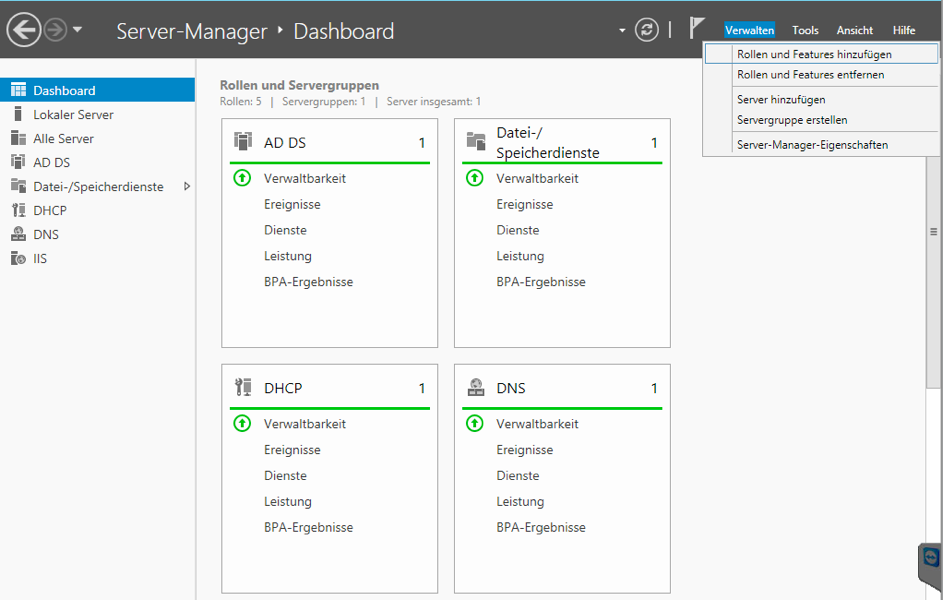
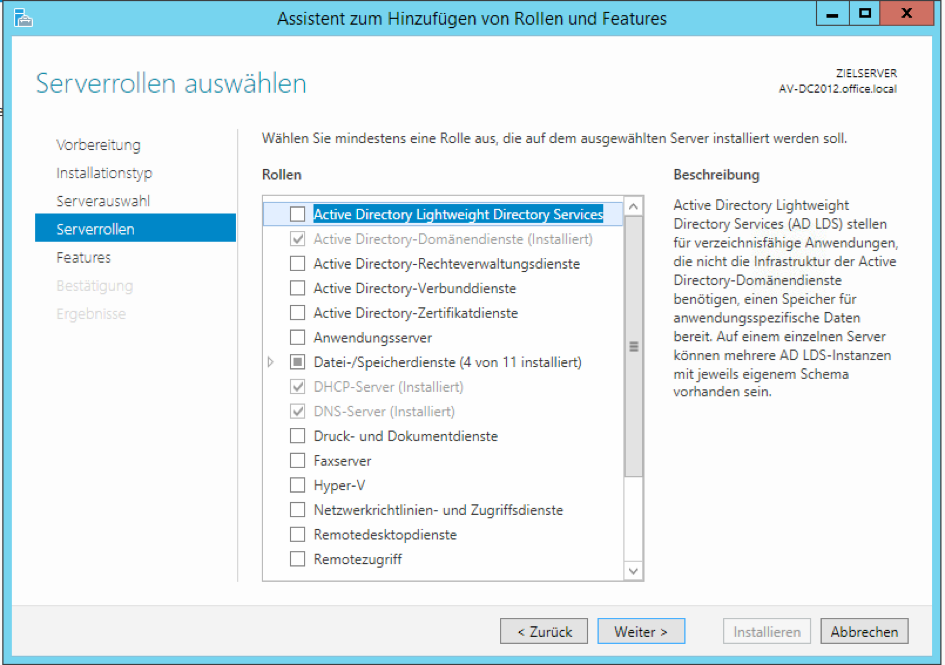
Install Active Directory Services and DNS via Server Manager
- Select roles and features
- Select Active Directory Domain Services
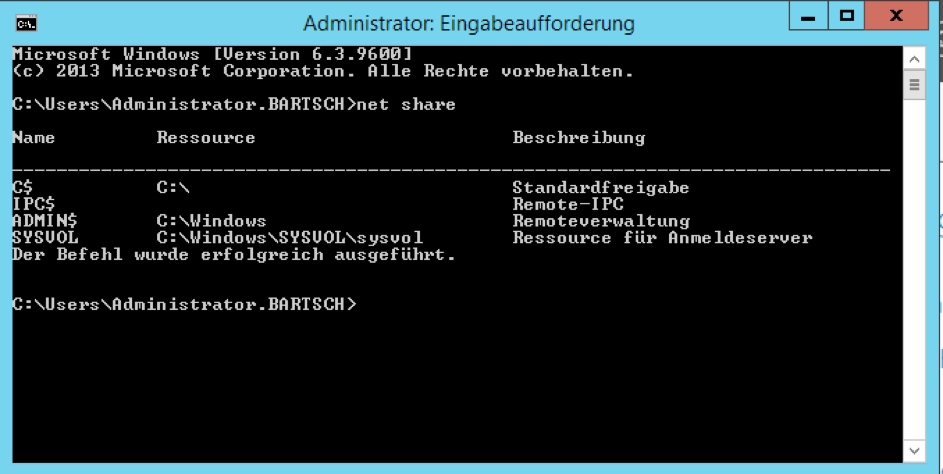
Check whether SYSVOL share was created:
- net share
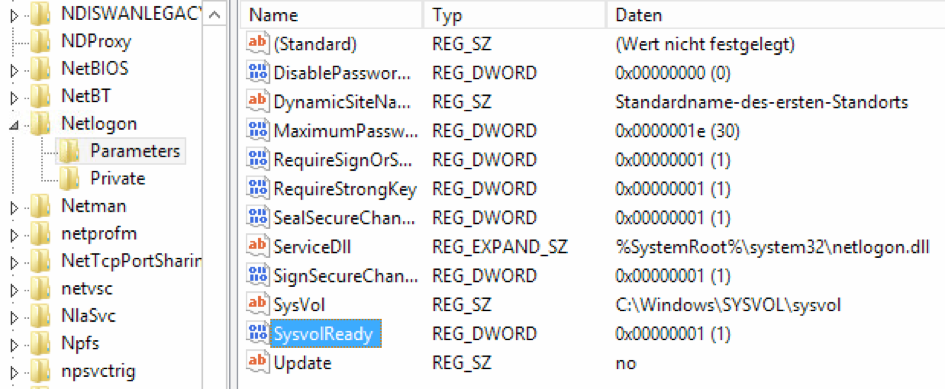
If the share is missing, a registry entry must be modified.
- HKEY_LOCAL_MACHINE\SYSTEM\CurrentControlSet\Services\Netlogon\Parameters
- SysvolReady = 1
For replication issues (13508), add registry entry.
- HKEY_LOCAL_MACHINE\SYSTEM\CurrentControlSet\Services\NtFrs\Parameters
- DWord: Enable Journal Wrap Automatic Restore = 1 (Hex)
- Restart the File Replication Service
After installation, configuration
- Add Active Directory to an existing forest.
- After successful setup, FSMO roles must be transferred from the old DC to the new one.
- Transfer of RID, PDC, Infrastructure roles is done via Active Directory Users and Computers.
Connect to the new DC to transfer the roles, then assign the new server via Operations Master.
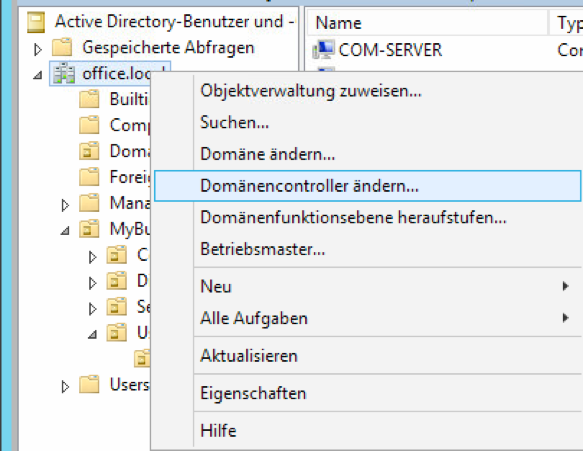
Transfer of the domain naming operations master is done via Active Directory Domains and Trusts.
Also connect to the new DC to transfer the role.
Then assign the new server via Operations Master.
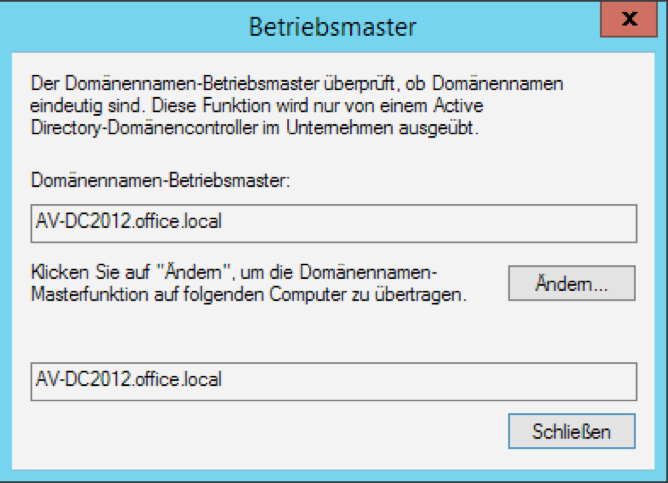
Schema Master
To display the schema master, run the following command first:
- regsvr32 schmmgmt.dll
Use the same procedure for transferring the role as for the other role transfers.
After successful transfer of all FSMO roles, the other two DCs can be demoted with dcpromo and shut down.
First remove the global catalogue from Windows Server 2003 under Active Directory Sites and Services.
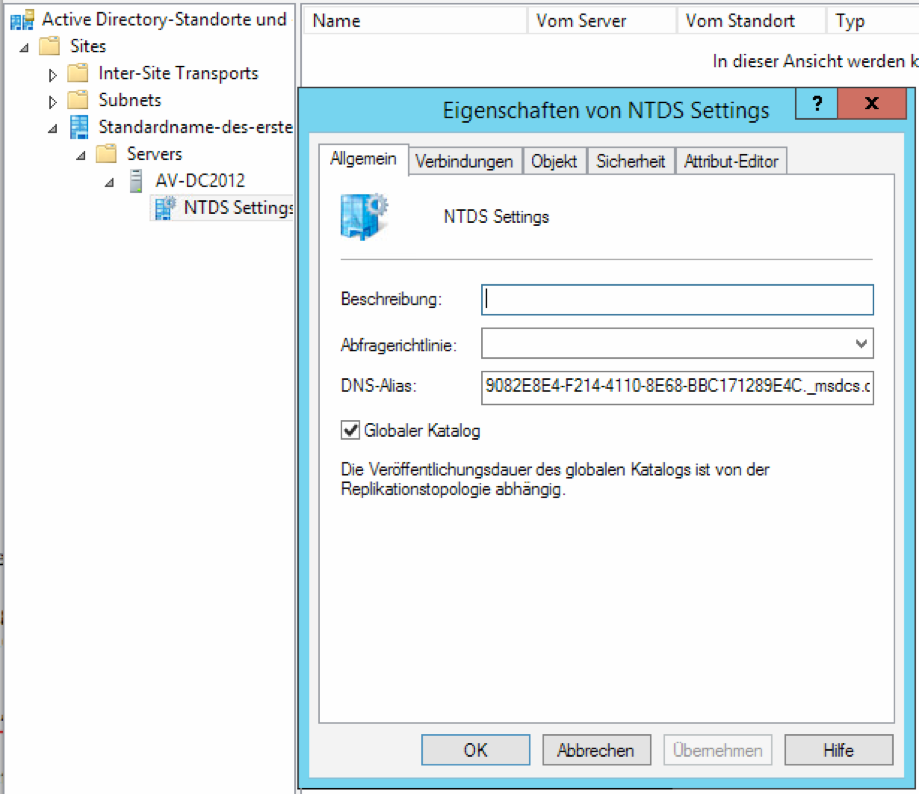
Run dcdiag /a to verify DC operation.
Troubleshooting
DNS
- Check with dcdiag /TEST:DNS
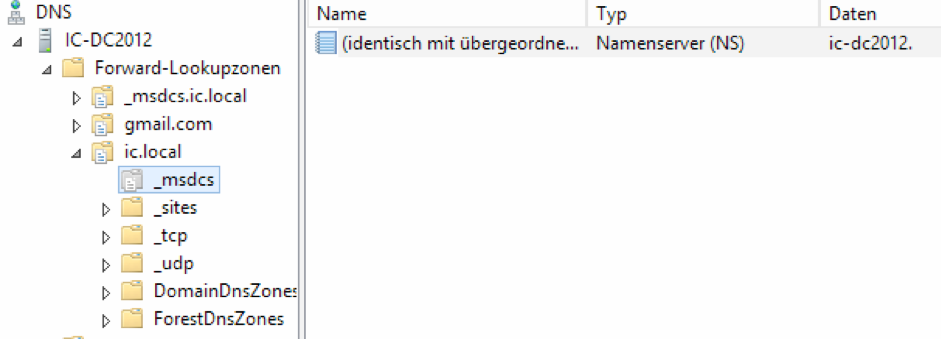
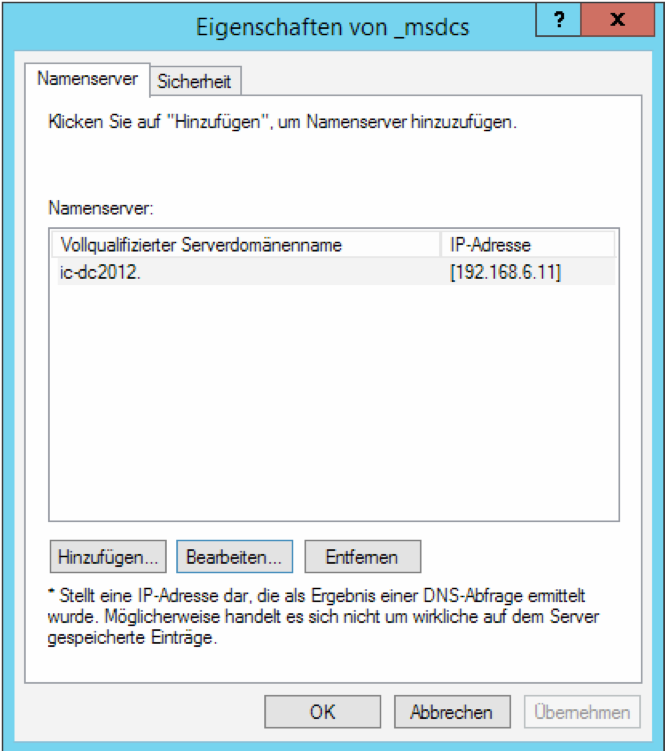
Error: DNS server: dc.domain.local not available, Missing glue A record
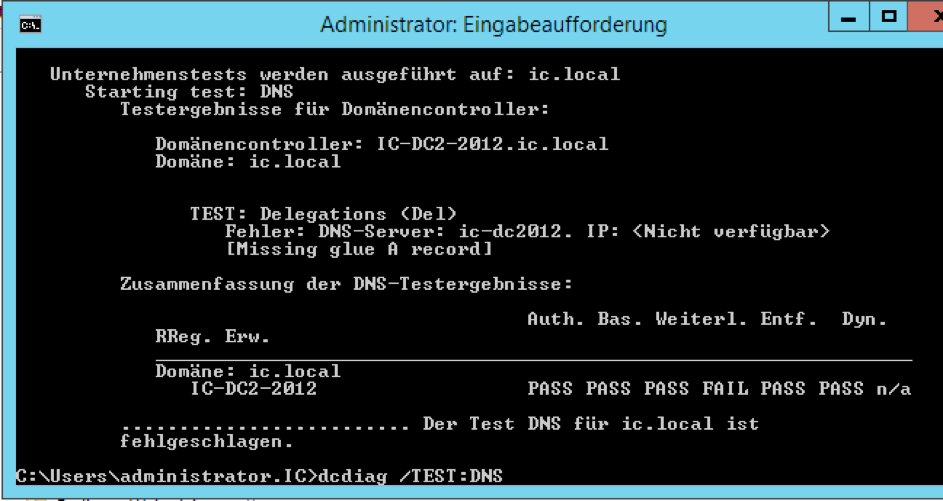
Installing DHCP on Windows Server 2012 Essentials
If error 0x800f0922 occurs, another DHCP service is active on the network.